01
Motion Transfer
Map dance choreography, walking loops, athletic moves, and full-body timing from a reference video onto a new character image while keeping the subject recognizable.
0:15
Looking for a LoreMotion alternative with motion control? Turn a character image and a reference clip into a new video with Motion Control AI. Choose a motion preset or upload the movement you want to follow.
Get inspired
Feature modes
Four motion-control modes for character video: transfer body movement, guide hands, carry facial performance, and add cinematic camera energy from a reference clip.
Map dance choreography, walking loops, athletic moves, and full-body timing from a reference video onto a new character image while keeping the subject recognizable.
Use a real motion clip to guide pointing, waving, arm movement, head turns, posture shifts, and creator-style actions that prompts alone often miss.
Carry smiles, attitude, eye direction, head rhythm, and performance energy into the generated clip so the result feels directed instead of random.
Pair motion transfer with controlled pacing, camera feel, lighting consistency, and 720p or 1080p output settings for polished character video.
Workflow
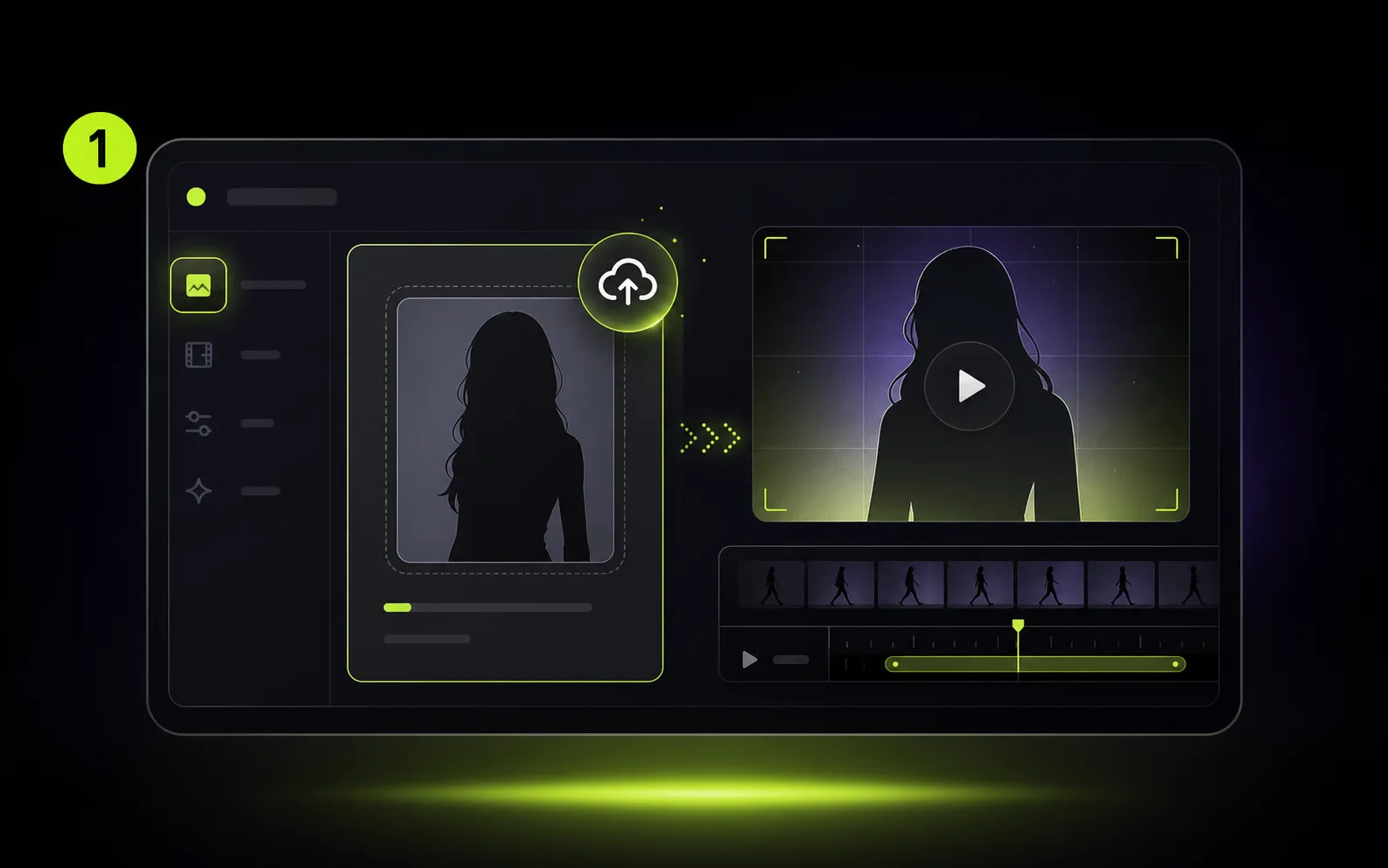
Start with a clear portrait, full-body image, avatar, product presenter, or stylized character that should perform the action.
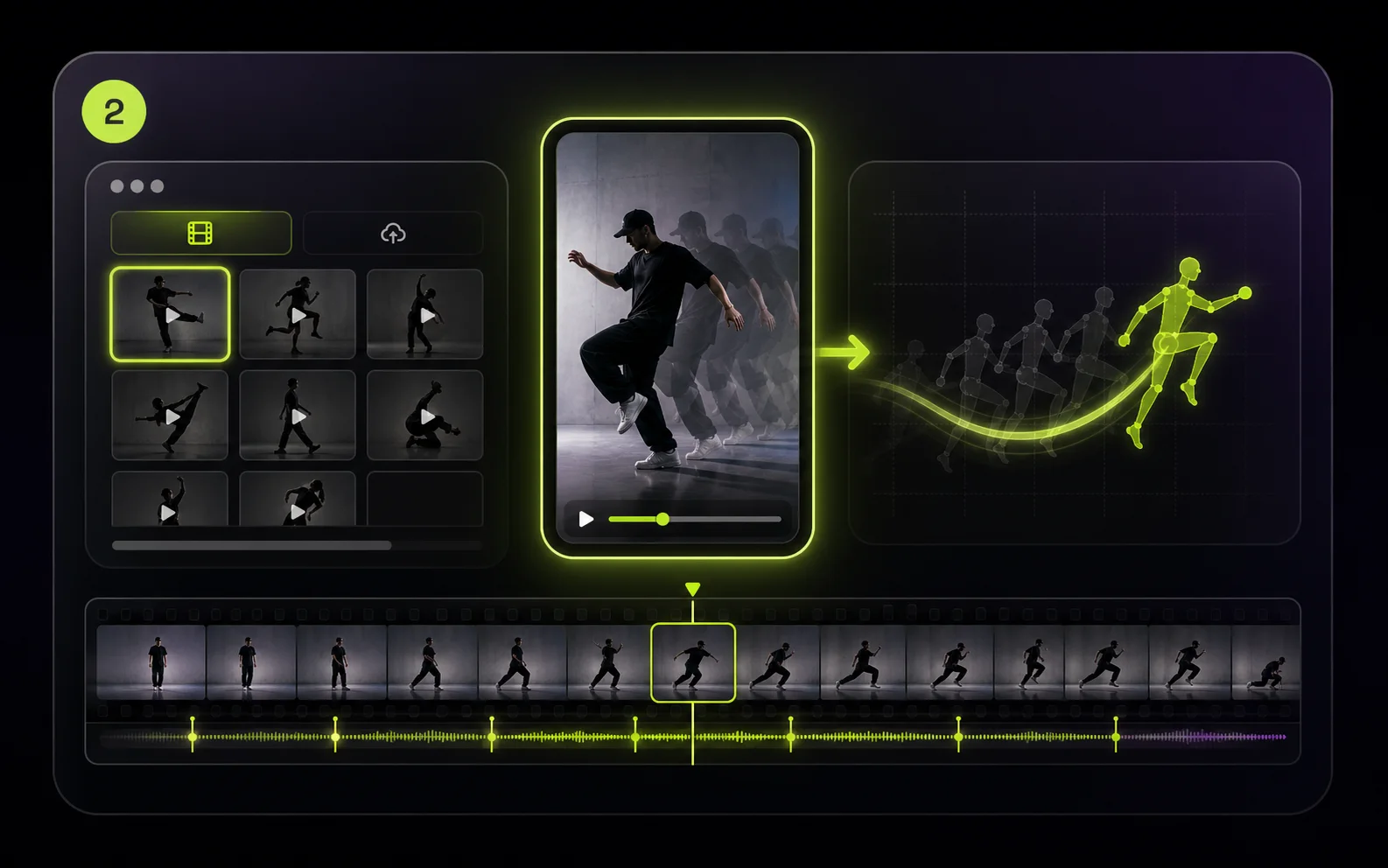
Pick a reference motion from the library or upload an MP4/MOV clip with the gesture, dance, walk cycle, or camera rhythm you want to reuse.
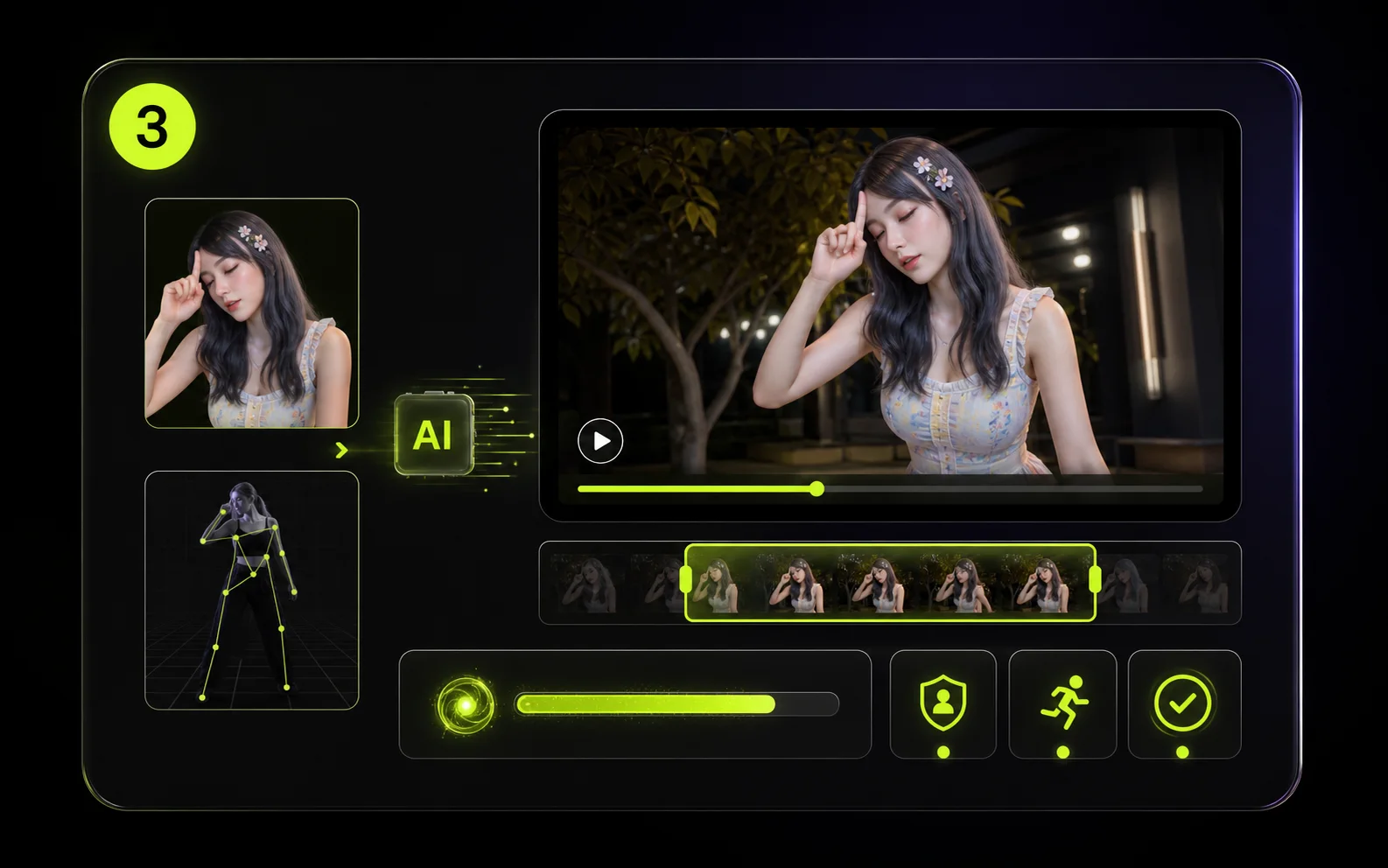
Generate a short preview to check identity stability, motion accuracy, and pacing before moving to longer or higher-resolution output.
Use cases
Use one reference clip as reusable direction for creator content, campaigns, explainers, avatar channels, and early production tests.
Transfer dance moves, gestures, and talking-head energy to a character image so you can publish more Shorts, Reels, and TikToks without filming every variation.
Use actor footage or rough phone videos as motion direction for character tests, pitch scenes, and storyboards before spending time on manual animation or a studio shoot.
Turn static product shots, mascots, or spokesperson images into motion-led ads with consistent gestures, posture, and campaign energy across multiple creative versions.
Create instructor-style clips where hand movement, body rhythm, and presenter timing match the lesson, tutorial, onboarding flow, or internal training script.
Reuse a trending move, pose sequence, or gesture across different characters and brand assets while keeping the final clip aligned with your own visual style.
Animate portraits, stylized characters, or personal avatars with a real reference clip when you want a gift video, profile asset, or experimental character performance.
Related workflows
Combine reference motion with image-to-video, prompt-based generation, and one-click effects depending on how much control each clip needs.
Guide style, identity, composition, or motion with reference media when the shot needs more creative control.
Open toolCreate a clip from a text prompt when you do not have a source image or reference motion yet.
Open toolUse ready-made effects such as AI Hug, AI Kiss, AI Dance, AI Baby, and AI Muscle for quick variations.
Open toolCompare credits, subscriptions, and pay-as-you-go packs before rendering longer motion-control clips.
Open toolCreator notes
“Motion Control AI lets me test avatar performances without filming every gesture again.”

“The motion demos give our team fast starting points for social ad variations.”
“Uploading a custom movement clip makes character shots much easier to direct.”
FAQ
Motion Control AI uses a reference video to guide how a character moves. You upload a character image, select or upload a motion clip, and generate a new video that follows the source movement.
You need one character image and one motion reference. Images can be PNG, JPG, JPEG, WEBP, or GIF up to 10 MB. Uploaded motion videos can be MP4 or MOV up to 100 MB, or you can pick a reference from the built-in library.
The workflow is designed to preserve the image identity, outfit, and style while transferring movement from the reference clip. Clear source images and readable motion usually give better results.
Kling Motion Control needs a readable reference-video duration. Billing uses whole seconds with a 3-second minimum, and references longer than 30 seconds are rejected.
Credits are calculated from the reference duration and output resolution: 720p costs 10 credits per second and 1080p costs 15 credits per second, rounded up to whole seconds.
The Motion Control model supports 720p and 1080p output, with 9:16, 16:9, and 1:1 aspect ratios.
Image orientation keeps the final framing closer to the character image. Video orientation follows the reference video framing and is the default for most motion clips. Image orientation is limited to clips up to 10 seconds.
Motion Control can keep the original sound from the reference video. Use it when timing matters, and turn it off when you plan to add separate music or voiceover.
Kling 3.0 Motion Control is credit-based. The Create button shows the required credits before submission; the short 480p image-to-video preview is also credit-based.
Watermark is enabled by default. Paid users can turn it off for future videos and can remove the watermark from eligible completed tasks.
Ready to direct the movement?
Upload your character, choose a built-in motion preset or your own video, and render a controlled character clip in the browser.
Free AI Video Generation — No Watermark
LoreMotion generates 720p MP4 clips from text prompts with no watermark and no monthly fee. Revenue comes from a short pre-roll ad, not subscriptions.
Image to Video
Upload any image and animate it into a fluid video clip. Works with product photos, portraits, AI-generated artwork, or any still image.
Multiple Aspect Ratios
Supports 16:9 widescreen, 9:16 vertical (TikTok / Reels / Shorts), 1:1 square, and 4:3 classic — all available on the free tier.
Community Discover Feed
Browse a public gallery of user-generated videos for inspiration. Sharing is opt-in; videos are private by default.
LoreMotion's standout position is simple: generate AI videos for free with no watermark and no credit card required. It runs LTX-Video 2.5, a 22-billion-parameter diffusion transformer by Lightricks, on its own GPU cluster. Anonymous users get one generation immediately; a free account unlocks unlimited videos with a 48-hour personal library. This makes LoreMotion genuinely useful for creators who need a quick clip without committing to a subscription. The output quality is solid for general scenes, social posts, and marketing visuals — 720p H.264 with synced ambient audio.
In image-to-video mode, LoreMotion takes a reference image as the first frame and generates forward motion using the selected model. This works well for product animation, portrait clips, architectural walkthroughs, and adding movement to AI-generated artwork. The image supplies the visual; the model predicts natural motion. All five models — LTX-Video 2.5, MiniMax H3, Veo 3.1, Grok 3, and Kling 2.5/3 — support image-to-video. The key limitation is that you cannot direct the motion: you cannot say "make the character dance to this specific choreography." The model decides how the image moves.
LoreMotion is purpose-built for text-to-video and image-to-video generation, not motion control. If your goal is to animate a specific character performing a specific movement — a dance, a walk cycle, a hand gesture, a facial expression — LoreMotion cannot do it. There is no way to upload a reference video and have the AI transfer that motion onto your character. The absence of motion control also means no frame-accurate body transfer, no hand/finger precision, and no camera motion replication. For general video creation these gaps don't matter. For character animation workflows they are blockers.
| Feature | LoreMotion | MotionControlAI |
|---|---|---|
| Motion control — animate character with reference videokey | ||
| Kling 3.0 frame-accurate transferkey | ||
| Body motion transferkey | ||
| Facial expression transfer | ||
| Hand & finger motion | ||
| Cinematic camera motion mode | ||
| Text to video | ||
| Image to video (free) | ||
| Free tier with no watermark | ||
| No sign-up for first generation | ||
| Reference video preset library | ||
| Public gallery / Discover feed | ||
| Multiple aspect ratios |
✓ Supported · ~ Partial support · ✗ Not available
LoreMotion cannot animate a character using a reference video. MotionControlAI is built specifically for this — upload a character image and a reference clip, and Kling 3.0 transfers the motion frame-accurately.
MotionControlAI supports four motion modes: full body, hand/finger control, facial expression, and cinematic camera motion. LoreMotion offers none of these directed animation modes.
Kling 3.0 preserves your character's exact appearance across every generated frame — face, outfit, proportions. General video generators like LoreMotion do not guarantee character consistency.
If you need a quick atmospheric video — a landscape with motion, a product floating in space, a cinematic scene from a text description — LoreMotion is fast and free. Write a prompt, pick your aspect ratio, and download a 720p clip with no watermark in about 90 seconds. For content creators who just need background footage, B-roll, or general visual content at zero cost, it is a practical tool.
When you have a specific character — a brand mascot, an anime avatar, a portrait, an illustration — and you need it to perform a specific movement, LoreMotion cannot help. MotionControlAI's motion control workflow is: upload character image + upload or select reference video → Kling 3.0 maps the motion onto your character. The output preserves the character's visual identity while executing the exact choreography, gesture, or cinematic movement from the reference.
For creators building virtual influencers or producing dance content at scale, motion control is the core capability. Record or source a trending choreography clip, apply it to your character, and publish. MotionControlAI's preset reference video library means you can start without sourcing your own motion clips. The consistent character identity across multiple generations makes it possible to build a recognizable AI persona — something a general text-to-video tool like LoreMotion cannot replicate.
LoreMotion is a free AI video generator at loremotion.com. It runs LTX-Video 2.5 and MiniMax H3 on its own GPU cluster, letting users generate 720p clips from text prompts or images with no watermark and no sign-up required for the first video. It focuses on general text-to-video and image-to-video generation.
No. LoreMotion does not offer motion control — the ability to animate a specific character image using the movements from a reference video. It generates video from prompts and images, but cannot transfer body motion, facial expressions, or camera movement from a reference clip onto a character. MotionControlAI is purpose-built for this workflow.
Yes. LoreMotion supports itself through pre-roll ad impressions rather than subscriptions, so the generated videos carry no watermark and are free for commercial use. Anonymous users get one free generation; a free account unlocks unlimited generations. MotionControlAI also offers a free tier with no watermark for motion control video generation.
LoreMotion is a general-purpose AI video generator optimized for text-to-video and image-to-video creation. MotionControlAI is specialized for motion control — you upload a character image and a reference video, and the AI transfers the exact motion (body, hands, face, or camera) from the reference onto your character using Kling 3.0. If you want to animate a specific character with a specific movement, MotionControlAI is the right tool.
Not precisely. LoreMotion can generate a video starting from an image, but it generates forward motion based on the model's predictions — you cannot supply a dance reference video for the character to follow. MotionControlAI lets you upload a dance clip as the motion reference, and Kling 3.0 maps that exact choreography onto your character frame-by-frame.
LoreMotion's free tier uses LTX-Video 2.5 (22B parameter diffusion transformer by Lightricks) and MiniMax H3. Premium tiers add Google Veo 3.1, xAI Grok 3, and Kling 2.5/3.0. MotionControlAI uses Kling 3.0 specifically for its motion control pipeline, which is currently the most accurate model for reference-based character animation.